Privacy
Privacy you can check, not just trust.
Doodad’s promise is simple: your stuff stays on your computer. Here’s exactly what that means, including the few things that do go out, so you never have to take our word for it.
The AI lives on your computer
It does its thinking right there, even with the Wi-Fi off.
We never get your data
Not your doodads’ data, not your files, not your chats.
Every trip out is logged
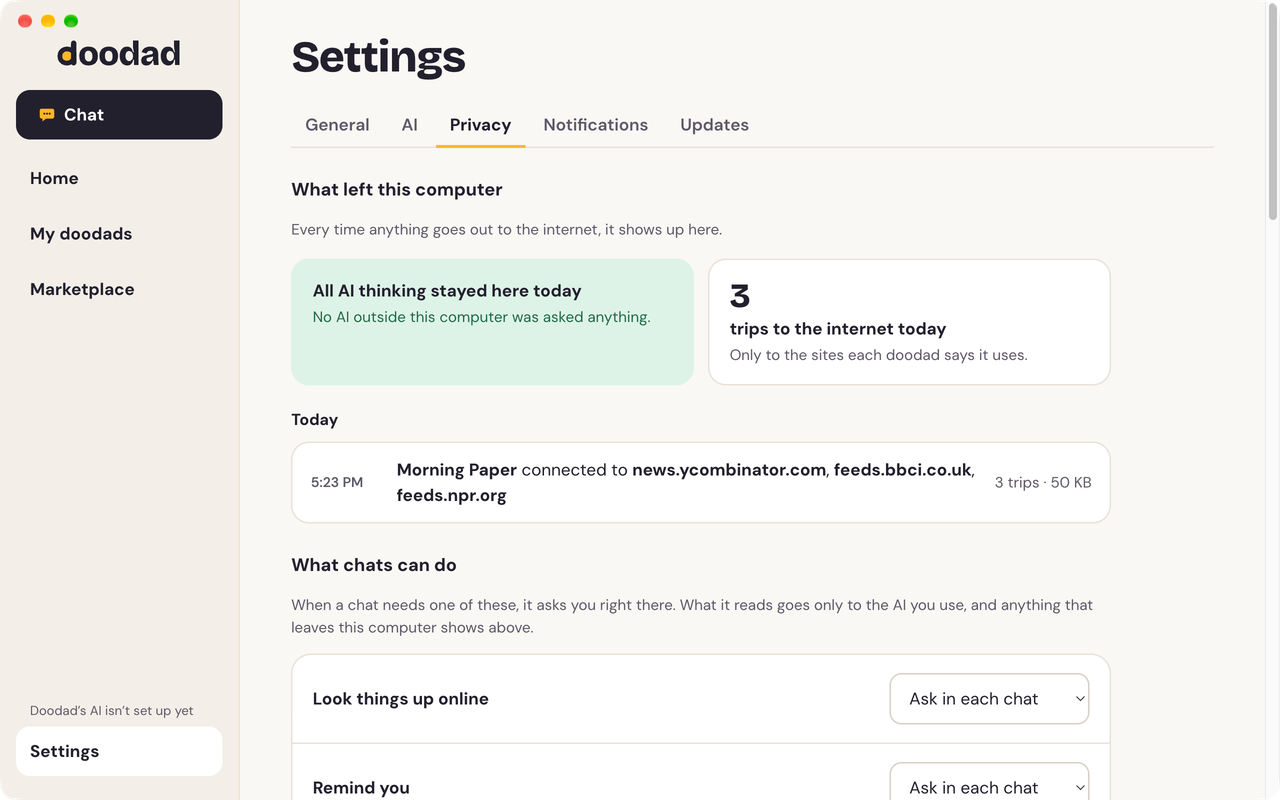
Settings › Privacy shows what left, where to, and how much.
Doodads get only what you allow
One folder means one folder. Nothing else.
Two ways the AI can work. You pick.
Device only
The defaultWhat you type, your files, and everything in your doodads are never sent to a cloud AI. Doodad’s own AI handles it all, on your computer.
Cloud allowed
Only if you connect an accountBigger builds can use an AI account you connected, under that provider’s terms. Mark any doodad device-only and it stays that way, no matter what.
Even when making a doodad, the AI works from made-up sample data, not your real records, unless a task truly needs them and you’ve allowed it.
What goes out, and why
This is the complete list. Each of these shows up in Settings › Privacy when it happens.
| What | Where it goes | When |
|---|---|---|
| Checking for Doodad updates | [UPDATE HOST] | When Doodad looks for a new version |
| Downloading Doodad’s AI | [MODEL HOST] | Once, after you say yes |
| A doodad reading the web | Only the sites it listed, which you approved | When that doodad runs |
| The marketplace | thedoodad.com | Only while you browse, install, or publish |
| A cloud AI | The provider you connected | Only if you connect one and allow it |
What we never get
- What’s inside your doodads
- Your files and photos
- What you type to Doodad
- Which doodads you’ve installed (we only count totals)
If you use the marketplace
Our servers keep only what an account needs: your email, a username, how you sign in (Google, Apple, or an email code), the doodads you publish, and your ratings and reviews.
Delete your account and your personal data goes with it.
Doodads only get what you allow.
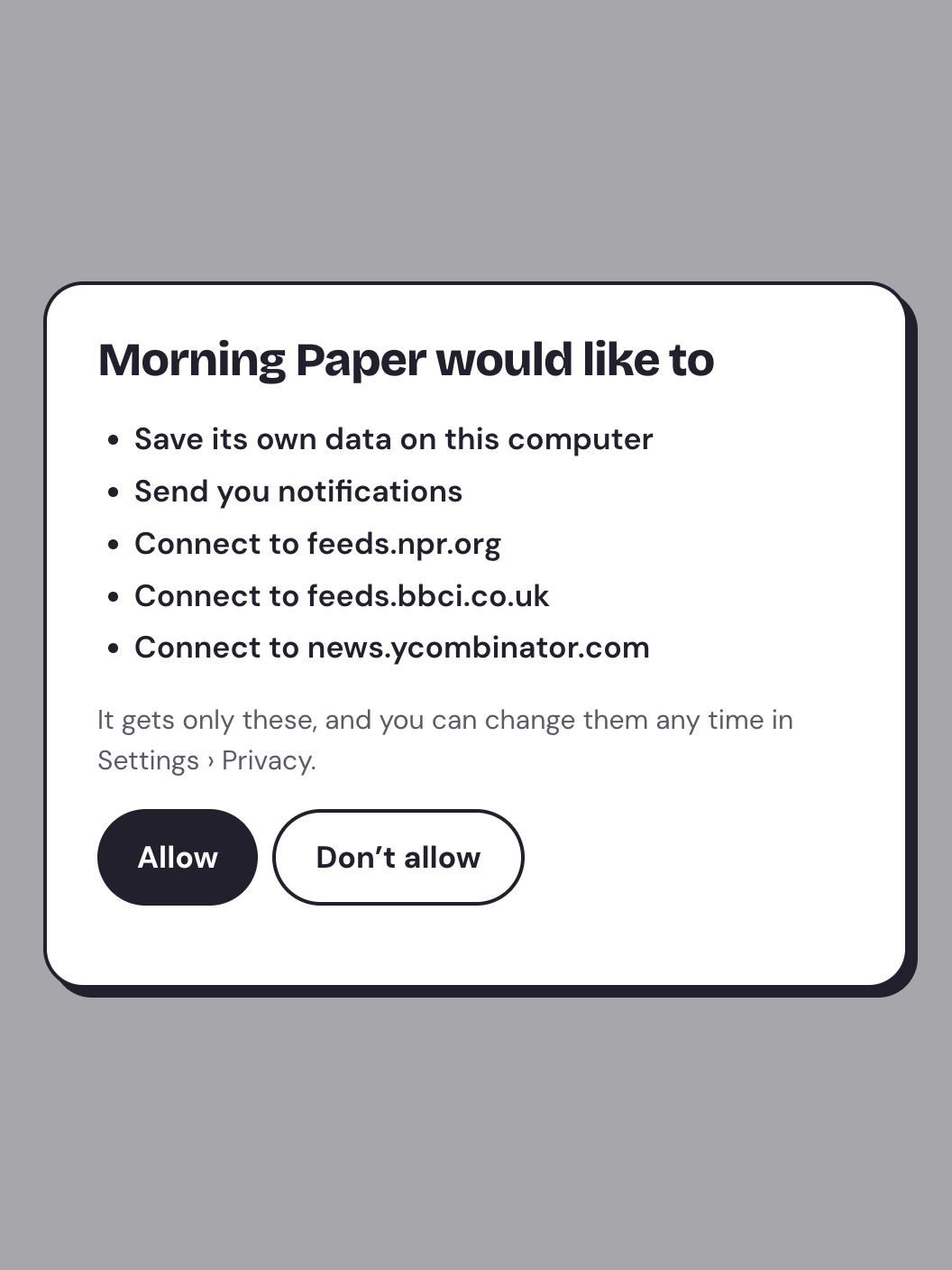
Before you install one, you see what it can do, in plain words: “Can read folders you choose. Can connect to news.ycombinator.com.” A doodad can never give itself more.
Say no once and it’s never asked again. Things that are hard to take back, like sending, buying, or deleting, always ask first. Changed your mind? Turn anything off in Settings › Privacy.
See it for yourself.
Open Settings › Privacy any time. “What left this computer” lists the last week of trips to the internet, from your doodads and from Doodad itself: the site, and how much. Never the contents.
[SOURCE CODE LINE, ONCE THE LICENSE IS DECIDED]
Usage stats
[USAGE STATS POLICY, ONCE FINAL. Suggested: off unless you turn it on; one small weekly summary with no name attached; never your prompts, files, or records.]